Documentation
What it does
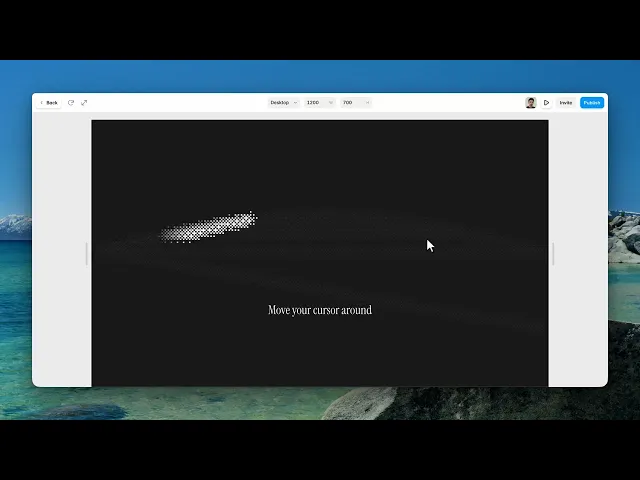
It leaves a trail of dithered dots behind the cursor, which then fades away.
It covers the whole page rather than sitting in a section, so you drop it in once and it works everywhere — and it never intercepts a click, so nothing underneath stops working.
Where you would use it
Portfolios, agency sites, experimental pages — anywhere the cursor is part of the personality rather than just a pointer.
One caveat worth stating: it's a desktop effect. There's no cursor on a phone, so mobile visitors see nothing at all. Don't build a page whose character depends on it.
Lightweight and easy to use, Cursor Dither Trail is perfect for portfolios, creative studios, landing pages, and experimental web experiences.
Controls
6 controls.
Control | Type | Default | Notes |
|---|---|---|---|
Trail | Color |
| — |
Dot Size | Number |
| 1–12px |
Trail Width | Number |
| 8–160px |
Density | Number |
| .1–1 |
Fade | Number |
| 200–4e3ms |
Layer | Number |
| 0–99999 |
Working through the panel
Look
Trail is the colour of the dots. Dot Size is how big each one is, and Trail Width is how wide the band is around the cursor path.
Density is how thickly the dots are packed. Lower it and you get a sparse, scattered trail; raise it toward one and the dots close into something more like a solid stroke — which loses the dithered look that makes this interesting.
Fade and Layer
Fade is how long the trail takes to disappear, in milliseconds. Short feels sharp and responsive. Long leaves a lingering path that follows you around the page, which is a different mood and quite a bit heavier visually.
Layer is the stacking order. It sits above everything by default. Lower it if you want the trail to pass behind a fixed header or a modal instead of over it.
Performance and limits
It pauses when the browser tab is hidden.
Static rendering is handled, so canvas thumbnails and exports show a settled frame rather than a blank box.
Good to know
No setup or coding required. Responsive across desktop, tablet, and mobile.
Refund policy — due to the nature of digital products, all sales are final. Once purchased, this component is non-refundable. Please make sure it fits your needs before completing the checkout.
Support: hi@alicorak.com




