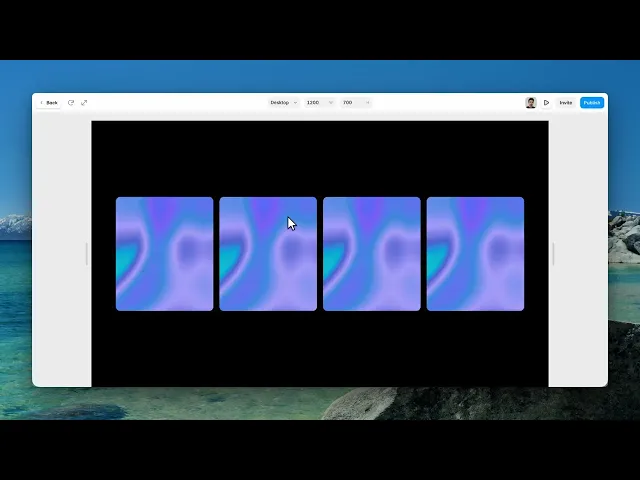
Documentation
What it does
The cursor drags your image out of shape as it moves across it — and the image springs back once you've passed.
There are four distinct effects behind one component, so the first control changes almost everything else.
Controls
21 controls, 8 of which only appear when they are relevant.
Control | Type | Default | Notes |
|---|---|---|---|
Image | ResponsiveImage | — | — |
Effect | Enum | Color Shift / Zoom / Pixel / Flow — default | — |
Interaction | Enum | Hover / Drag / Always — default | — |
Fit | Enum | Cover / Contain / Fill — default | — |
Strength | Number |
| 0–2 |
Core Size | Number |
| 0–.4 |
Falloff | Number |
| .02–.5 |
Velocity | Number |
| 0–4 |
Follow | Number |
| .03–.4 |
Trail Length | Number |
| 1–5 · conditional |
Elasticity | Number |
| 0–1 · conditional |
Direction | Number |
| 0–2 · conditional |
Refraction | Number |
| 0–2 · conditional |
Edge Fragility | Number |
| 0–2 · conditional |
Click Ripple | Number |
| 0–1 · conditional |
Flow Tint | Enum | Image / Custom — default | conditional |
Tint Color | Color |
| conditional |
Radius | BorderRadius |
| — |
Background | Color |
| — |
Cursor | Cursor |
| — |
Reduce Motion | Boolean |
| — |
Working through the panel
The four effects
Effect is the mode switch. Color Shift separates the image into colour channels that lag behind each other. Zoom magnifies under the cursor. Pixel breaks the area into blocks.
And Flow smears the image along your direction of travel — which is a much deeper effect than the other three. Seven controls appear only when you pick it, and vanish again on the others.
Interaction decides when any of this happens: hover, drag, or always. Drag is worth considering on mobile, where there's no hover at all.
Strength, Core Size, Falloff, Velocity, Follow
Five controls work on every effect.
Strength is how much distortion there is. Core Size is the radius of the fully-affected area, and Falloff is how far it fades beyond that.
Then Velocity, which is how much the speed of your cursor matters — move fast, distort more. And Follow, which is how quickly the effect catches up with the pointer.
Those five are your whole panel on Color Shift, Zoom and Pixel. Get them right first, because they carry the effect.
The Flow controls
Switch to Flow and seven more controls arrive.
Elasticity is the one that defines it — how the image springs back after the cursor passes. High snaps; low settles slowly, which is what makes it read as liquid rather than rubber.
Trail Length keeps the distortion visible behind the cursor. Direction biases the smear. Refraction and Edge Fragility shape how it behaves at its boundaries. Click Ripple sends a pulse out on click.
And Flow Tint decides the smear's colour — taken from the image, or set to your own, which reveals a Tint Color control.
Framing and motion
Fit, Radius and Background handle the frame, and Cursor sets what the pointer becomes over it.
The last control is the one worth ending on: Reduce Motion, which is on by default. Visitors who've asked their system to reduce animation get a calmer version automatically.
An effect that distorts an image under the cursor is exactly the kind of thing that causes problems for people sensitive to motion, so leave that on.
Performance and limits
It stops rendering when it scrolls out of view, so an instance below the fold costs nothing until the visitor reaches it.
Visitors whose system asks for reduced motion get a calmer version automatically.
Static rendering is handled, so canvas thumbnails and exports show a settled frame rather than a blank box.
It renders with WebGL at whatever size and pixel density the frame needs — there is no image to download and no resolution to outgrow.
Good to know
No setup or coding required. Responsive across desktop, tablet, and mobile.
Refund policy — due to the nature of digital products, all sales are final. Once purchased, this component is non-refundable. Please make sure it fits your needs before completing the checkout.
Support: hi@alicorak.com




