Documentation
What it does
A regular grid of shapes across your background — the pattern you see behind half the developer tools and design sites on the internet, and for good reason. It adds structure without adding content.
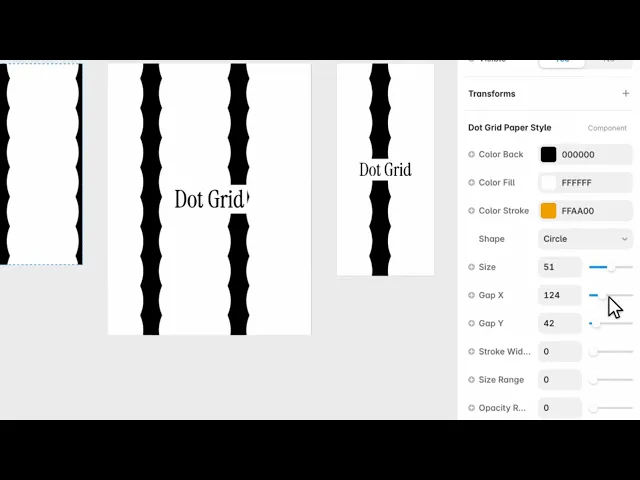
Controls
12 controls.
Control | Type | Default | Notes |
|---|---|---|---|
Color Back | Color |
| — |
Color Fill | Color |
| — |
Color Stroke | Color |
| — |
Shape | Enum | Circle / Diamond / Square / Triangle — default | — |
Size | Number |
| 1–100 |
Gap X | Number |
| 2–500 |
Gap Y | Number |
| 2–500 |
Stroke Width | Number |
| 0–50 |
Size Range | Number |
| 0–1 |
Opacity Range | Number |
| 0–1 |
Rotation | Number |
| 0–360deg |
Scale | Number |
| .01–4 |
Working through the panel
The grid
Shape gives you circle, diamond, square or triangle. Circle is the quiet default; the others read as more deliberate.
Size is how big each one is, and Gap X and Gap Y are the spacing — separately, so you can stretch the grid into a rectangle rather than a square.
Those two gaps are worth playing with. An uneven grid reads as designed, where a perfectly square one reads as a default.
Colour and outline
Three colours: the background, the fill of each shape, and a stroke.
Stroke Width is zero by default, so the shapes are solid. Raise it and give the stroke a different colour, and you get outlined shapes instead — which is a much lighter look and often better behind text.
Breaking the regularity
Two controls exist purely to stop the grid looking mechanical.
Size Range varies how big each shape is. Opacity Range varies how visible each one is. Both are zero by default, which gives a perfectly uniform grid.
Add a little of either and the pattern gains depth — it stops looking printed and starts looking like a field. This is the single fastest way to make this component look considered.
Rotation turns the whole grid, and Scale zooms it.
Performance and limits
Static rendering is handled, so canvas thumbnails and exports show a settled frame rather than a blank box.
Good to know
No setup or coding required. Responsive across desktop, tablet, and mobile.
Refund policy — due to the nature of digital products, all sales are final. Once purchased, this component is non-refundable. Please make sure it fits your needs before completing the checkout.
Support: hi@alicorak.com




