Documentation
What it does
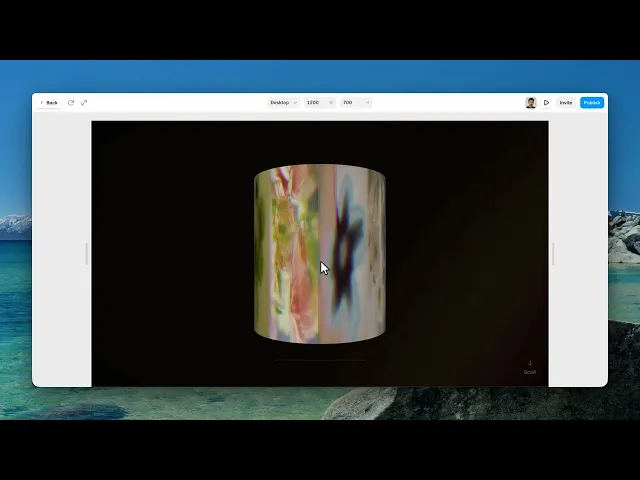
Your images wound into a strip of film in three-dimensional space, and the camera travels along it as the visitor scrolls.
It's a full-section experience with captions, film grain and a colour treatment — closer to a title sequence than to a gallery.
Where you would use it
Perfect for photography portfolios, editorial websites, product storytelling, case studies, creative agencies, art galleries, and immersive landing pages that deserve a cinematic presentation.
Controls
24 controls.
Control | Type | Default | Notes |
|---|---|---|---|
Images | Array |
| — |
Captions | Array |
| — |
Title | String |
| — |
Subtitle | String | — | — |
Position | Enum | top / top-left / left / right / center / top-right / bottom / bottom-left / bottom-right — default | — |
Camera Path | Enum | Fly Through / Top-Down Dive / Side Slide / Reel Spin / Orbit / Spiral / Push In / Rise — default | — |
Scroll Length | Number |
| 2–10x |
Rotations | Number |
| 1–10 |
Radius | Number |
| 1–5 |
Height | Number |
| .5–6 |
Background | Color |
| — |
Darkness | Number |
| 0–1 |
Grain | Number |
| 0–.5 |
Aberration | Number |
| 0–.02 |
Sepia | Number |
| 0–1 |
Contrast | Number |
| .5–2 |
Saturation | Number |
| 0–2 |
Vignette | Number |
| 0–1 |
Light Leak | Boolean |
| — |
Max FPS | Number |
| 24–60 · Caps the live grain frame rate. Lower = less GPU use. Idle (no scroll) and reduced-motion always pause rendering. |
Scroll Hint | Boolean |
| — |
Text Color | Color |
| — |
Title Font | Font |
| — |
Subtitle Font | Font |
| — |
Working through the panel
Camera Path
Camera Path is the biggest decision here. Seven options: fly through, top-down dive, side slide, reel spin, orbit, spiral, and push in.
They're genuinely different films. Fly through travels down the length of the strip. Orbit circles it from outside. Push in moves steadily closer. Reel spin turns the whole roll.
Watch all seven with your own images before choosing, because the right one depends on what your pictures are — portraits suit push in, landscapes suit fly through.
The roll and the scroll
Rotations is how many times the strip winds around. Radius is how wide the coil is, and Height is how far it extends.
Scroll Length is how much page scroll the whole journey takes, expressed as a multiplier. This is the control to get right first — too short and the visitor blasts through the sequence, too long and they're trapped scrolling through a section they've finished looking at.
Captions carry a title, a subtitle and a position for each image, so text can sit differently on each frame.
And Scroll Hint tells visitors to scroll, which matters because a section that only responds to scrolling gives no other clue.
The film treatment
This is where the character is. Grain, Aberration, Sepia, Contrast, Saturation and Vignette together make it look shot rather than rendered.
Sepia at a quarter and saturation slightly under one is the default, and it's doing something specific — pulling the colour toward film stock rather than leaving it digital.
Light Leak adds the flares that happen when light gets into a camera body. It's on by default and it's the detail people recognise without naming.
Darkness sets the overall level, and Max FPS caps the frame rate — lowering it both saves power and, at twenty-four, matches how film actually looks.
One last thing worth knowing. There's no control for it, and there doesn't need to be: the component automatically calms itself for visitors whose system asks for reduced motion.
Performance and limits
It stops rendering when it scrolls out of view, so an instance below the fold costs nothing until the visitor reaches it.
Visitors whose system asks for reduced motion get a calmer version automatically.
Static rendering is handled, so canvas thumbnails and exports show a settled frame rather than a blank box.
It renders with WebGL at whatever size and pixel density the frame needs — there is no image to download and no resolution to outgrow.
Good to know
No setup or coding required. Responsive across desktop, tablet, and mobile.
Refund policy — due to the nature of digital products, all sales are final. Once purchased, this component is non-refundable. Please make sure it fits your needs before completing the checkout.
Support: hi@alicorak.com




