Documentation
What it does
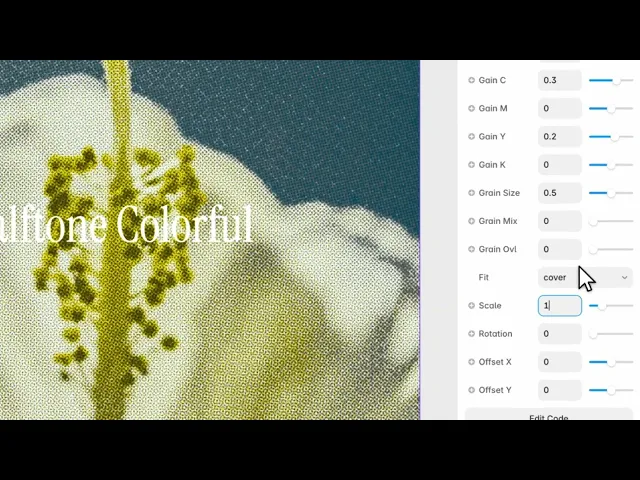
Your image separated into cyan, magenta, yellow and black — then rebuilt from dots, the way colour printing actually works.
It's not a filter that adds dots. It's a simulation of the four-plate process, which is why the colours interact the way they do.
Controls
28 controls, 21 of which only appear when they are relevant.
Control | Type | Default | Notes |
|---|---|---|---|
Preset | Enum | Default / Drops / Newspaper / Vintage / Custom — default | — |
Image | ResponsiveImage | — | — |
Back | Color |
| conditional |
Cyan | Color |
| conditional |
Magenta | Color |
| conditional |
Yellow | Color |
| conditional |
Black | Color |
| conditional |
Size | Number |
| 0–1 · conditional |
Grid Noise | Number |
| 0–1 · conditional |
Type | Enum | dots / ink / sharp — default | conditional |
Softness | Number |
| 0–1 · conditional |
Contrast | Number |
| 0–2 · conditional |
Flood C | Number |
| 0–1 · conditional |
Flood M | Number |
| 0–1 · conditional |
Flood Y | Number |
| 0–1 · conditional |
Flood K | Number |
| 0–1 · conditional |
Gain C | Number |
| -1–1 · conditional |
Gain M | Number |
| -1–1 · conditional |
Gain Y | Number |
| -1–1 · conditional |
Gain K | Number |
| -1–1 · conditional |
Grain Size | Number |
| 0–1 · conditional |
Grain Mix | Number |
| 0–1 · conditional |
Grain Ovl | Number |
| 0–1 · conditional |
Fit | Enum | contain / cover — default | — |
Scale | Number |
| .01–4 |
Rotation | Number |
| 0–360 |
Offset X | Number |
| -1–1 |
Offset Y | Number |
| -1–1 |
Working through the panel
Preset
Preset is the control that governs the panel. Default, drops, newspaper, vintage, or custom.
The four presets are complete looks and they hide everything else — pick one and you're finished. Newspaper is coarse and grey-leaning. Vintage shifts the plates out of register, the way cheap printing does. Drops is softer and wetter.
Switch to Custom and the rest of the panel opens up. Everything I'm about to describe only exists in that mode.
The four plates
You get a colour for each plate — cyan, magenta, yellow and black — plus the paper colour behind them.
Those four aren't decoration. Shifting the cyan slightly toward green, or warming the paper off pure white, is how you move between a modern print and something that looks like it came off a press in nineteen seventy.
Size is the dot spacing, and it's the control with the biggest effect. Small keeps the photograph legible; large turns it into pattern.
The press
Type is dots, ink or sharp. Dots is the clean halftone. Ink lets the dots bleed into each other. Sharp is hard-edged and mechanical.
Softness blurs the dot edges, and Grid Noise disturbs the regular grid.
Grid Noise is the one that earns its place. Real printing is never perfectly registered — plates shift, paper stretches. A perfectly regular halftone grid reads as digital, and a small amount of noise is what makes it read as printed.
Performance and limits
Static rendering is handled, so canvas thumbnails and exports show a settled frame rather than a blank box.
Good to know
No setup or coding required. Responsive across desktop, tablet, and mobile.
Refund policy — due to the nature of digital products, all sales are final. Once purchased, this component is non-refundable. Please make sure it fits your needs before completing the checkout.
Support: hi@alicorak.com




