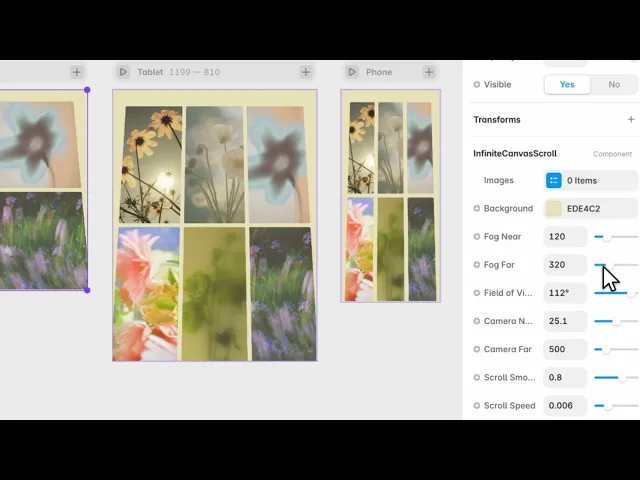
Documentation
What it does
Your images laid out in a three-dimensional space you fly through as you scroll — pieces approaching out of the distance, passing you, and disappearing behind.
It never ends. The field regenerates as you travel, so there's no bottom to hit.
Where you would use it
A portfolio landing page, a studio showreel, an archive. Anywhere the impression of a large body of work matters more than any individual piece.
It takes over a whole screen, so treat it as a section in its own right rather than something you place inside a layout.
Controls
11 controls.
Control | Type | Default | Notes |
|---|---|---|---|
Images | Array |
| — |
Background | Color |
| — |
Fog Near | Number |
| 0–500 |
Fog Far | Number |
| 0–1e3 |
Field of View | Number |
| 20–120° |
Camera Near | Number |
| .1–50 |
Camera Far | Number |
| 100–2e3 |
Scroll Smooth | Number |
| .5–.95 |
Scroll Speed | Number |
| .001–.02 |
Inertia | Number |
| .05–.4 |
Hint | Boolean |
| — |
Working through the panel
The camera
Five controls describe the camera, and two of them do the visible work.
Field of View is how wide the lens is. Narrow feels compressed and calm. Wide exaggerates the sense of speed and makes pieces rush past the edges.
Fog Near and Fog Far are where the fog starts and where it becomes total. That pairing is what gives the space depth — without fog, distant images are just small, and with it they genuinely recede. Match the fog colour region to your Background or the illusion breaks.
Camera Near and Far are the clipping distances, and the defaults are fine unless something is disappearing when it shouldn't.
The feel of scrolling
Three controls decide how the travel feels.
Scroll Speed is how far you move per scroll. Scroll Smooth is how much easing there is. And Inertia is how long you keep gliding after you stop.
These three are worth spending time on, because they're the entire experience. Too little inertia and it feels mechanical; too much and the visitor loses the sense that they're steering.
Hint adds an on-screen prompt telling people to scroll, which is worth turning on if this is the first thing they see.
Performance and limits
It stops rendering when it scrolls out of view, so an instance below the fold costs nothing until the visitor reaches it.
Static rendering is handled, so canvas thumbnails and exports show a settled frame rather than a blank box.
Good to know
No setup or coding required. Responsive across desktop, tablet, and mobile.
Refund policy — due to the nature of digital products, all sales are final. Once purchased, this component is non-refundable. Please make sure it fits your needs before completing the checkout.
Support: hi@alicorak.com




