Documentation
What it does
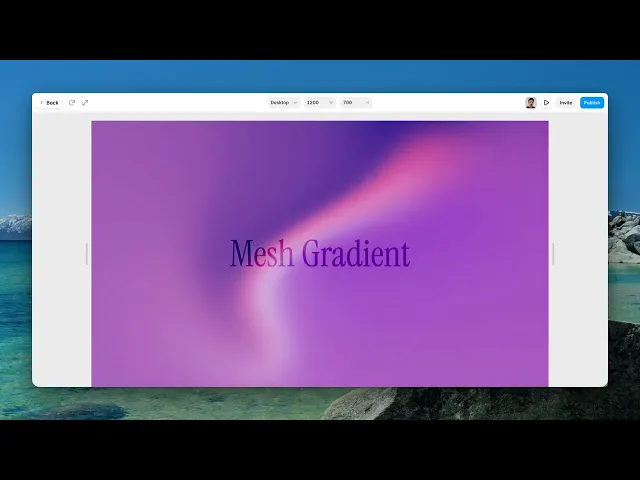
You give it a list of colours and it blends them into a soft, slowly moving field — the kind of gradient that has no straight edges and no obvious direction.
It's generated live, so it never repeats and it stays sharp at any size.
Where you would use it
Hero backgrounds, section fills, cards that need presence without an image. It's the safest of the animated backgrounds because it has no strong shapes to compete with your typography.
Check contrast in the corners as well as the centre, though. The field isn't uniform, and a headline that reads well in one spot can get lost where a light area drifts through.
Controls
6 controls.
Control | Type | Default | Notes |
|---|---|---|---|
Colors | Array |
| — |
Distortion | Number |
| 0–1 |
Swirl | Number |
| 0–1 |
Grain Mix | Number |
| 0–1 |
Grain Overlay | Number |
| 0–1 |
Speed | Number |
| 0–5 |
Working through the panel
Colours and shape
Colors is a list — add as many as you want and the component blends between all of them.
Distortion is how much the blend is pushed out of a regular gradient. At zero it's smooth and predictable; raised, it starts to fold.
Swirl adds rotation to that folding. It's subtle by default and a small amount goes a long way — high swirl turns a calm background into something that pulls attention.
Grain and Speed
There are two grain controls, and they're not the same thing. Grain Mix blends the grain into the colour itself. Grain Overlay lays it on top of the finished result.
Both default to zero, but adding a little is almost always an improvement — a pure gradient shows banding across a large area and grain is what hides it.
Speed controls the drift, and zero is a legitimate setting. It freezes the field into a still image and you keep the generated look without any motion.
One last thing worth knowing. There's no control for it, and there doesn't need to be: the component automatically calms itself for visitors whose system asks for reduced motion.
Performance and limits
It stops rendering when it scrolls out of view and when the browser tab is hidden, so an instance below the fold costs nothing until the visitor reaches it.
Visitors whose system asks for reduced motion get a calmer version automatically.
Static rendering is handled, so canvas thumbnails and exports show a settled frame rather than a blank box.
It renders with WebGL at whatever size and pixel density the frame needs — there is no image to download and no resolution to outgrow.
Good to know
No setup or coding required. Responsive across desktop, tablet, and mobile.
Refund policy — due to the nature of digital products, all sales are final. Once purchased, this component is non-refundable. Please make sure it fits your needs before completing the checkout.
Support: hi@alicorak.com




