Documentation
What it does
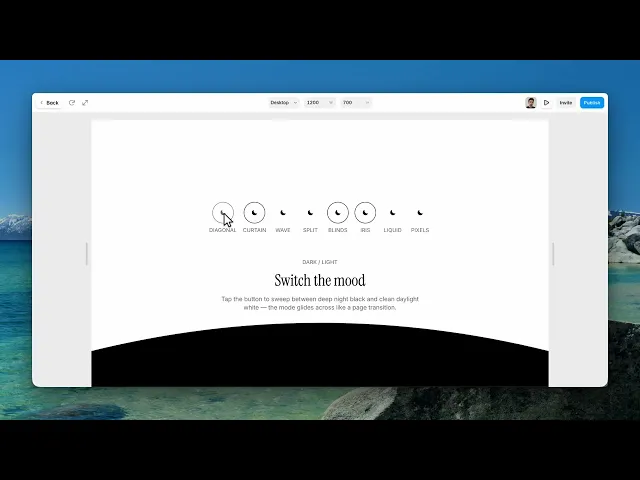
A dark and light toggle, but instead of the page just changing colour, an animated shape sweeps across and the new mode is revealed behind it.
The switch is the small part. The transition is what you're buying.
Controls
10 controls, 2 of which only appear when they are relevant.
Control | Type | Default | Notes |
|---|---|---|---|
Style | Enum | Curtain / Wave / Diagonal / Split / Blinds / Iris circle / Liquid / Pixels — default | — |
Start Mode | Enum | Dark / Light — default | — |
Direction | Enum | Up / Down / Left / Right — default | conditional |
Curve | Number |
| 0–80 · conditional |
Cover Time | Number |
| .2–2s |
Reveal Time | Number |
| .2–2s |
Size | Number |
| 24–200px |
Border | Boolean |
| — |
On Light | EventHandler | — | — |
On Dark | EventHandler | — | — |
Working through the panel
Style
Six transitions: curtain, wave, diagonal, split, blinds, and iris circle.
Go through all six before deciding, because they set very different tones. Curtain and wave are smooth and calm. Blinds is mechanical. Iris circle is theatrical and draws real attention to the act of switching.
On the styles that have a direction, a Direction control appears — up, down, left or right. And on the curved ones you also get a Curve control, which is how pronounced the sweep is.
Timing
The transition has two halves and each gets its own control. Cover Time is how long the shape takes to cover the screen. Reveal Time is how long it takes to clear.
They're separate on purpose, and the default has the reveal slower than the cover. That's the right shape: cover quickly so the switch feels responsive, then reveal slowly so people actually see the new mode arrive.
Start Mode is which one the page loads in.
The button and events
Size and Border style the toggle itself.
Then two event handlers, On Light and On Dark, which fire when the mode changes. That's how you hang your own behaviour off the switch — swapping an image, changing a video, telling something else on the page that the theme moved.
Performance and limits
Static rendering is handled, so canvas thumbnails and exports show a settled frame rather than a blank box.
Good to know
No setup or coding required. Responsive across desktop, tablet, and mobile.
Refund policy — due to the nature of digital products, all sales are final. Once purchased, this component is non-refundable. Please make sure it fits your needs before completing the checkout.
Support: hi@alicorak.com




