Documentation
What it does
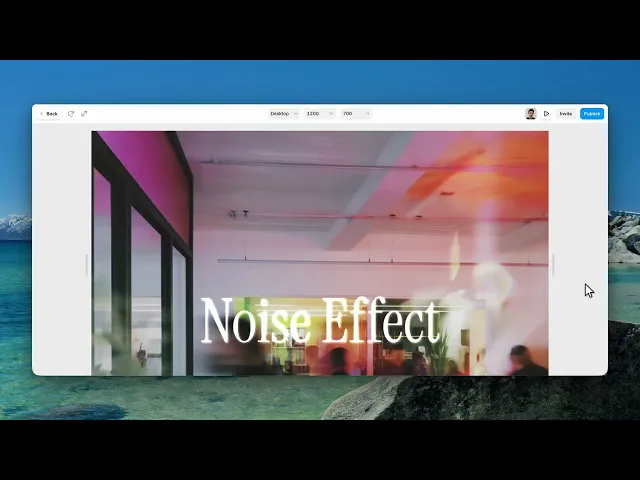
It lays a moving grain over whatever sits beneath it — a section, an image, a gradient, a whole page.
Grain is one of those things you notice only when it's missing. It's what stops a flat colour looking like a flat colour, and it's why film stills feel warmer than a screenshot.
Where you would use it
Over a large gradient, where it hides the banding that big smooth areas always show. Over a hero image, to tie a photograph and your typography into the same surface. Or across a whole page at very low opacity, as texture.
Use it lightly. Grain you can see is usually too much grain.
Great for cinematic, editorial, portfolio, and landing page designs
Controls
5 controls.
Control | Type | Default | Notes |
|---|---|---|---|
Opacity | Number |
| 0–1 |
Grain Size | Number |
| 1–5 |
Speed | Number |
| 1–60fps |
Blend | Enum | Normal / Overlay / Soft Light / Screen / Multiply — default | — |
Color | Color |
| — |
Working through the panel
Opacity, Grain Size and Speed
Opacity defaults low, and that's deliberate — this is a finishing layer, not a feature.
Grain Size is how coarse the particles are. Small reads as film. Large starts to read as a pattern, which is a different look and rarely the one you wanted.
Speed is how fast the grain regenerates, in frames per second. Slower actually looks more like real film than faster does, and it costs less to run.
Blend and Colour
Blend decides how the grain meets what's underneath. Overlay is the default and the safe choice — it darkens the darks and lightens the lights without changing the colour. Screen only lightens. Multiply only darkens. Normal ignores the content entirely and just sits on top.
Colour is white by default. Switching it to your background colour instead of white gives a softer, less silvery grain, which suits warm palettes.
Performance and limits
It stops rendering when it scrolls out of view, so an instance below the fold costs nothing until the visitor reaches it.
Static rendering is handled, so canvas thumbnails and exports show a settled frame rather than a blank box.
Good to know
No setup or coding required. Responsive across desktop, tablet, and mobile.
Refund policy — due to the nature of digital products, all sales are final. Once purchased, this component is non-refundable. Please make sure it fits your needs before completing the checkout.
Support: hi@alicorak.com




