Documentation
What it does
Your image arrives as a grid of solid blocks that clear away in a wave, uncovering the picture underneath.
It's a reveal with a mechanism you can see, which is why it holds attention longer than a fade does.
Controls
10 controls, 3 of which only appear when they are relevant.
Control | Type | Default | Notes |
|---|---|---|---|
Image | ResponsiveImage | — | — |
Trigger | Enum | Scroll / On Enter / Hover — default | — |
Direction | Enum | Top / Bottom / Left / Right — default | — |
Scroll Start | Number |
| 0–100% · Reveal starts when the element's top reaches this % down the viewport. · conditional |
Scroll End | Number |
| 0–100% · Reveal completes when the element's top reaches this % down the viewport. · conditional |
Fit | Enum | Cover / Contain — default | — |
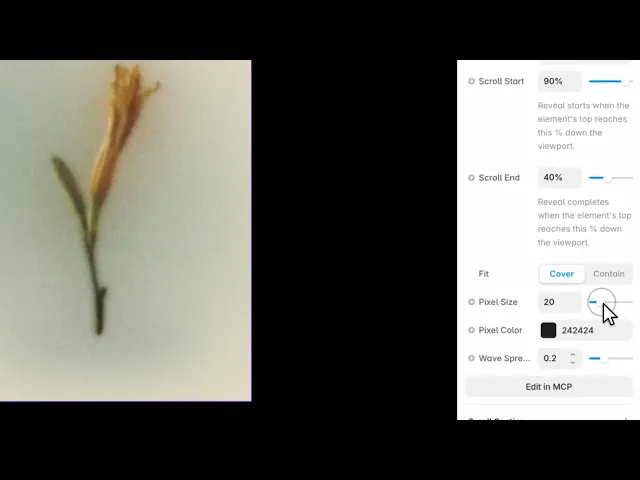
Pixel Size | Number |
| 4–80 |
Pixel Color | Color |
| — |
Wave Spread | Number |
| .02–.6 |
Duration | Number |
| .2–5s · Animation time for On Enter and Hover triggers. · conditional |
Working through the panel
Trigger
Three ways to start it. Scroll ties the reveal to the page position, so the visitor drives it as they move. On Enter runs it once when the image comes into view. Hover runs it under the cursor.
Scroll is the strongest on a long page because the visitor controls the pace. When you pick it, two extra controls appear — Scroll Start and Scroll End — which set where in the viewport the reveal begins and finishes.
On the other two triggers those disappear and a Duration control takes their place instead.
The pixels
Pixel Size is how big each block is. Large is bold and abstract, and the image stays hidden longer. Small is subtle and closer to a dissolve.
Pixel Color is what the blocks are made of. Matching it to your page background makes the image look like it's assembling out of nothing; contrasting it makes the grid itself part of the design.
And Wave Spread is how staggered the clearing is. Low clears almost all at once. High gives a long diagonal sweep where one corner is done while the other hasn't started.
Direction and fit
Direction is where the wave comes from — top, bottom, left or right. Point it toward the reading direction of the section so the reveal carries the eye where you want it to go.
Fit is cover or contain, as usual.
Performance and limits
It stops rendering when it scrolls out of view, so an instance below the fold costs nothing until the visitor reaches it.
Static rendering is handled, so canvas thumbnails and exports show a settled frame rather than a blank box.
It renders with WebGL at whatever size and pixel density the frame needs — there is no image to download and no resolution to outgrow.
Good to know
No setup or coding required. Responsive across desktop, tablet, and mobile.
Refund policy — due to the nature of digital products, all sales are final. Once purchased, this component is non-refundable. Please make sure it fits your needs before completing the checkout.
Support: hi@alicorak.com




