Documentation
What it does
A bar across the top or bottom of your site carrying a message and a call to action.
What makes it smart is everything around the message — it can schedule itself, appear only on certain pages, rotate between several messages, and remember that a visitor already dismissed it.
Controls
47 controls, 23 of which only appear when they are relevant.
Control | Type | Default | Notes |
|---|---|---|---|
Campaign ID | String |
| — |
Status | Enum | Active / Paused — default | — |
Preview | Enum | Auto / Show / Hide — default | — |
Messages | Array |
| — |
Message | String |
| — |
Rotation | Enum | Off / Auto / Manual / Both — default | — |
Interval | Number |
| 1–30s · conditional |
Pause Hover | Boolean |
| conditional |
Transition | Enum | Fade / Slide / Instant — default | conditional |
Indicators | Boolean |
| conditional |
CTA | Boolean |
| — |
CTA Label | String |
| conditional |
CTA Link | Link |
| conditional |
New Tab | Boolean |
| conditional |
Close on CTA | Boolean |
| conditional |
Close Button | Boolean |
| — |
Remember | Boolean |
| conditional |
Remember For | Enum | Session / 1 Day / 7 Days / 30 Days / Campaign / Forever — default | conditional |
Schedule | Boolean |
| — |
Starts | Date | — | conditional |
Ends | Date | — | conditional |
Targeting | Boolean |
| — |
Page Rule | Enum | All Pages / Include / Exclude — default | conditional |
Paths | String | — | conditional |
UTM Source | String | — | conditional |
UTM Campaign | String | — | conditional |
Mode | Enum | Inline / Sticky / Floating — default | — |
Position | Enum | Top / Bottom — default | conditional |
Max Width | Number |
| 320–2e3px |
Padding X | Number |
| 0–80px |
Padding Y | Number |
| 0–48px |
Gap | Number |
| 0–48px |
Margin | Number |
| 0–64px · conditional |
Background | Color |
| — |
Text | Color |
| — |
Accent | Color |
| — |
Border | Border |
| — |
Radius | BorderRadius |
| — |
Shadow | Number |
| 0–.5 · conditional |
Mobile At | Number |
| 320–900px |
Mobile Layout | Enum | Compact / Stack — default | — |
Hide Mobile CTA | Boolean |
| conditional |
Message Font | Font |
| — |
CTA Font | Font |
| conditional |
Entrance | Enum | None / Fade / Slide — default | — |
Duration | Number |
| .1–2s · conditional |
Delay | Number |
| 0–10s · conditional |
Working through the panel
Campaign and messages
Campaign ID is the identity of this announcement, and it's what the dismissal is remembered against. Change it and everyone sees the bar again — which is exactly what you want when you launch something new.
Status is active or paused, so you can switch a campaign off without deleting it.
Messages is a list, and Rotation decides how they cycle: off, auto, manual, or both. Auto reveals an interval, a pause-on-hover toggle, a transition and indicators.
Rotation is worth using sparingly. Two messages give a visitor a second chance to see something relevant. Five means nobody reads any of them.
Scheduling and targeting
Schedule takes a start and end date, so a sale bar removes itself when the sale ends. Set the end date when you set the start — this is the control that exists because everyone forgets to take the banner down.
Targeting is the other half. Page Rule is all pages, include, or exclude, with a Paths field listing which. Excluding your checkout and pricing pages is the common case: a discount bar over a page where someone is already buying is a reason to stop and go looking for a better deal.
There are also UTM Source and Campaign fields, so the bar can appear only for visitors arriving from a specific campaign.
Dismissal and the CTA
Close Button reveals Remember, and Remember For — session, one day, seven days, thirty days, campaign, or forever.
Campaign is the smartest of those. It ties the dismissal to your Campaign ID, so someone who closes this bar stays free of it until you publish a genuinely new announcement.
CTA gives you a label, a link, a new-tab toggle, and Close on CTA — which hides the bar once someone acts on it, since they've done the thing it was asking for.
Layout and mobile
Mode is inline, sticky or floating. Inline sits in the page flow. Sticky pins it to the top or bottom. Floating detaches it with a margin, which reads as a card rather than a bar.
Then max width, padding, gap, colours, border, radius and shadow.
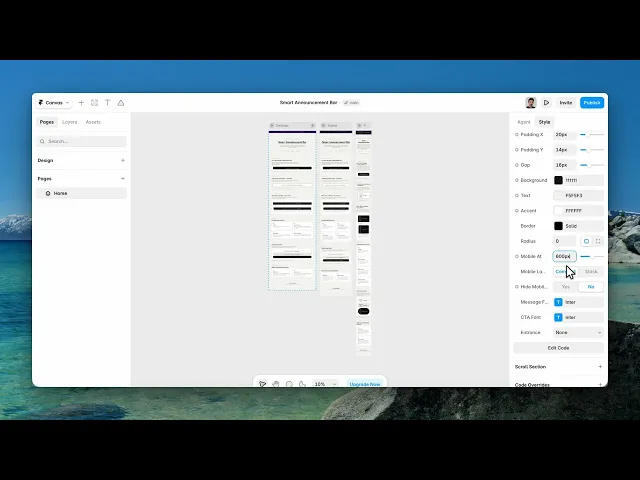
And three mobile controls that matter more than they look. Mobile At is the breakpoint. Mobile Layout is compact or stack. And Hide Mobile CTA drops the button on small screens.
That last one is the honest choice on a narrow bar — a message plus a button squeezed into a phone width makes both unreadable, and the message is the part that has to survive.
Entrance is none, fade or slide, with a duration and a delay. A short delay is better than none; a bar that's already there when the page paints gets read as furniture, while one that arrives a moment later gets read.
Performance and limits
Static rendering is handled, so canvas thumbnails and exports show a settled frame rather than a blank box.
The visitor's choice is stored in their own browser. It does not follow them to another browser or device, and clearing storage resets it.
Good to know
No setup or coding required. Responsive across desktop, tablet, and mobile.
Refund policy — due to the nature of digital products, all sales are final. Once purchased, this component is non-refundable. Please make sure it fits your needs before completing the checkout.
Support: hi@alicorak.com




