Documentation
What it does
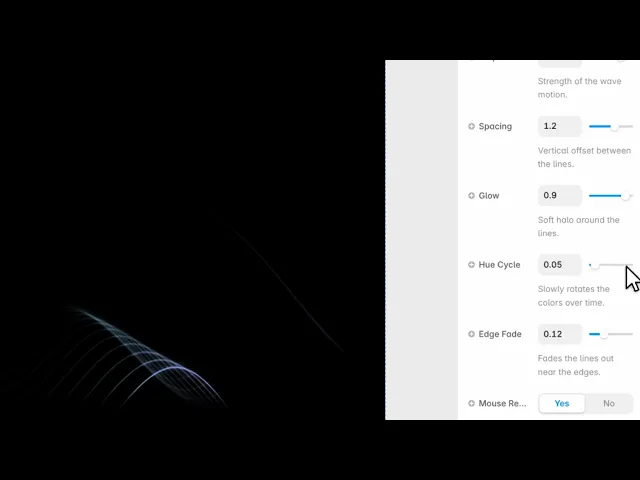
A field of thin lines rippling in parallel, like a waveform or the surface of something being played.
It reacts to the cursor, so moving across it pushes the lines out of shape and they settle back behind you.
Controls
13 controls, 3 of which only appear when they are relevant.
Control | Type | Default | Notes |
|---|---|---|---|
Style | Enum | Signature / Aurora / Ember / Mono / Custom — default | Color style of the lines. |
Color A | Color |
| conditional |
Color B | Color |
| conditional |
Lines | Number |
| 8–64 |
Thickness | Number |
| .4–3 |
Speed | Number |
| 0–3 |
Amplitude | Number |
| 0–3 · Strength of the wave motion. |
Spacing | Number |
| 0–2 · Vertical offset between the lines. |
Glow | Number |
| 0–1 · Soft halo around the lines. |
Hue Cycle | Number |
| 0–1 · Slowly rotates the colors over time. |
Edge Fade | Number |
| 0–.4 · Fades the lines out near the edges. |
Mouse React | Boolean |
| Lines gently follow the cursor. |
Mouse Power | Number |
| 0–2 · conditional |
Working through the panel
Style
Five styles: signature, aurora, ember, mono and custom.
The first four are tuned pairings — try them before building your own. Pick Custom and two colour controls appear, and the lines blend between them across the field.
Mono is the one to reach for when this sits behind text. A single-hue field of lines is quiet enough to read on top of.
The lines
Lines is how many there are, from eight to sixty-four. Thickness is how heavy each one is, and Spacing is the gap between them.
Amplitude is how far they move — this is the main character control. Low is a barely-there shimmer; high is a full waveform.
Glow adds bloom around the lines, which is what makes them read as light rather than as ink. And Hue Cycle slowly shifts the colours through the spectrum over time, which is subtle at low values and psychedelic at high ones.
Edges and cursor
Edge Fade softens the lines as they approach the frame boundary, so the field dissolves rather than being cut off. It's on by default at a low value, and raising it is the single easiest way to make this sit naturally in a section instead of looking like a rectangle of effect.
Mouse React is on, with Mouse Power setting how strongly the lines deform under the cursor. Keep it moderate — the lines returning to rest is the satisfying part, and if they're thrown too far the recovery looks slow.
Performance and limits
It stops rendering when it scrolls out of view and when the browser tab is hidden, so an instance below the fold costs nothing until the visitor reaches it.
Static rendering is handled, so canvas thumbnails and exports show a settled frame rather than a blank box.
It renders with WebGL at whatever size and pixel density the frame needs — there is no image to download and no resolution to outgrow.
Good to know
No setup or coding required. Responsive across desktop, tablet, and mobile.
Refund policy — due to the nature of digital products, all sales are final. Once purchased, this component is non-refundable. Please make sure it fits your needs before completing the checkout.
Support: hi@alicorak.com




