Documentation
What it does
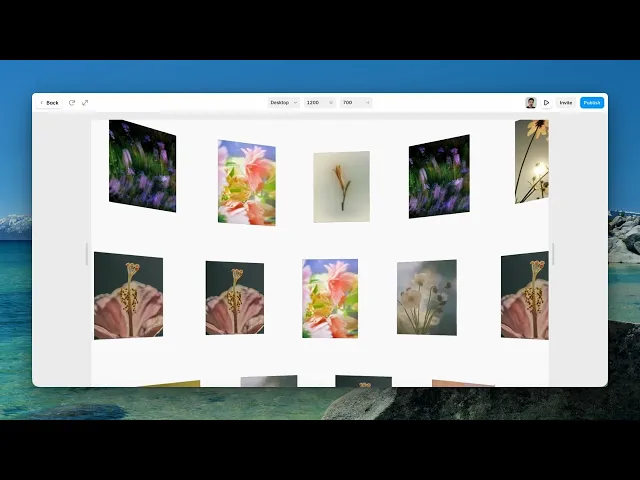
Your images are scattered as hundreds of small pieces drifting through space, continuously, in three dimensions.
It's a gallery in the sense that the images are all there — but nobody browses it. It's atmosphere built from your own work.
Where you would use it
A hero section on a portfolio or a studio site, where the point is showing that a body of work exists rather than showing any one piece of it.
Because individual images are never legible for long, feed it work that reads at a glance — strong colour, clear composition. A photograph full of fine detail contributes nothing recognisable to the field.
Controls
9 controls, 1 of which only appear when they are relevant.
Control | Type | Default | Notes |
|---|---|---|---|
Images | Array |
| — |
Image | Image | — | — |
Alt | String | — | — |
Radius | Number |
| 2–14 |
Count | Number |
| 100–1200 |
Auto Speed | Number |
| 0–20 |
Scroll Boost | Boolean |
| Disable on mobile (recommended). |
Boost Strength | Number |
| 0–3 · conditional |
Background | Color |
| — |
Working through the panel
Images and density
Images is your list. There's also a single Image and an Alt field alongside it.
Count is how many pieces are in the field, and it goes from a hundred to over a thousand. High counts look richer and cost more to render — on a hero that has to load quickly, the difference between six hundred and twelve hundred is rarely worth what it costs.
Radius rounds the individual pieces, and Background is what they drift through.
Motion
Auto Speed is the constant drift, and it can go to zero for a still field.
Scroll Boost is on by default, and it's the control that makes this feel connected to the page: scrolling accelerates the field, so the drift responds to the visitor instead of ignoring them. Boost Strength appears when it's on and sets how much.
Keep the auto speed low and let scrolling do the work. A field already moving fast has nowhere to go when the visitor scrolls.
Performance and limits
It stops rendering when it scrolls out of view and when the browser tab is hidden, so an instance below the fold costs nothing until the visitor reaches it.
Static rendering is handled, so canvas thumbnails and exports show a settled frame rather than a blank box.
It renders with WebGL at whatever size and pixel density the frame needs — there is no image to download and no resolution to outgrow.
Good to know
No setup or coding required. Responsive across desktop, tablet, and mobile.
Refund policy — due to the nature of digital products, all sales are final. Once purchased, this component is non-refundable. Please make sure it fits your needs before completing the checkout.
Support: hi@alicorak.com




