Documentation
What it does
Your text animates character by character rather than all at once — each letter arriving a moment after the one before it.
And it can swap to a different phrase while it does, so hovering doesn't just animate the text, it replaces it.
Controls
13 controls, 2 of which only appear when they are relevant.
Control | Type | Default | Notes |
|---|---|---|---|
Text | String |
| — |
Swap Text | Boolean |
| — |
Active Text | String |
| conditional |
Font | Font |
| — |
Color | Color |
| — |
Active Color | Color |
| — |
Padding | Padding |
| — |
Trigger | Enum | Hover / On View / Click / Loop — default | — |
Loop Every | Number |
| .4–8s · conditional |
Animation | Enum | Slide Up / Slide Down / Slide Left / Slide Right / Roll / Scale / Blur / Flip — default | — |
Stagger From | Enum | Start / Middle / End / Random — default | — |
Stagger | Number |
| 0–.1s |
Duration | Number |
| .1–1.5s |
Working through the panel
Trigger
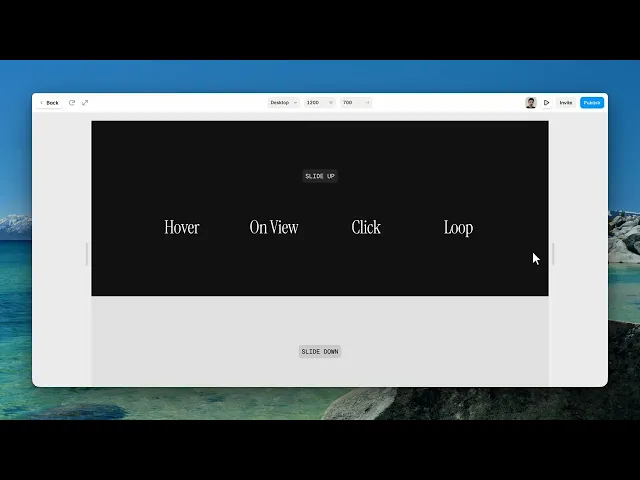
Four ways to run it. Hover is the classic for links and buttons. On View runs it once as the text scrolls into place. Click is deliberate. And Loop runs it continuously, with a Loop Every control appearing to set the gap.
Use On View for headings and Hover for anything interactive. Loop is for a single accent word — a whole heading looping is exhausting to sit beside.
Swapping the text
Swap Text is off by default. Turn it on and an Active Text field appears, along with an active colour.
This is what makes the component more than an entrance animation. A button that says Read more and becomes Let's go on hover is doing something a plain animation can't — and because the letters stagger between the two, it reads as one word transforming rather than two words swapping.
The animation
Animation is how each character moves: slide up, down, left, right, roll, scale, or blur. Slide up is the safe default. Roll and blur are more distinctive and suit display type rather than body text.
Stagger From is where the wave begins — start, middle, end, or random. Middle is underrated; it makes the text open outward from its centre.
Stagger is the delay between characters, and Duration is how long each one takes. The gap between those two numbers is the whole feel: a small stagger with a long duration gives a soft overlapping wave, while a large stagger with a short duration reads as typing.
Performance and limits
Static rendering is handled, so canvas thumbnails and exports show a settled frame rather than a blank box.
Good to know
No setup or coding required. Responsive across desktop, tablet, and mobile.
Refund policy — due to the nature of digital products, all sales are final. Once purchased, this component is non-refundable. Please make sure it fits your needs before completing the checkout.
Support: hi@alicorak.com




